
Android Installation Guide
Mega888 APK Download for Android: Screen-by-Screen Installation Guide
Version
Mega888 v1.2
Filename
Mega888_V1.2.apk
File type
Android Package (.apk)
File size
73,732 KB (~72 MB)
Need help downloading or installing Mega888? Contact an agent through WhatsApp or Telegram for assistance.
Using an iPhone? APK files cannot be installed on Apple devices. Follow the separate Mega888 iOS download guide instead.
Download the Mega888 APK on a compatible Android device and follow each installation screen in order. This guide covers the device requirements, APK download, installation permission, first launch and common Android problems.
Before You Begin
Mega888 APK Installation Requirements
Check your device before beginning the Mega888 APK download.
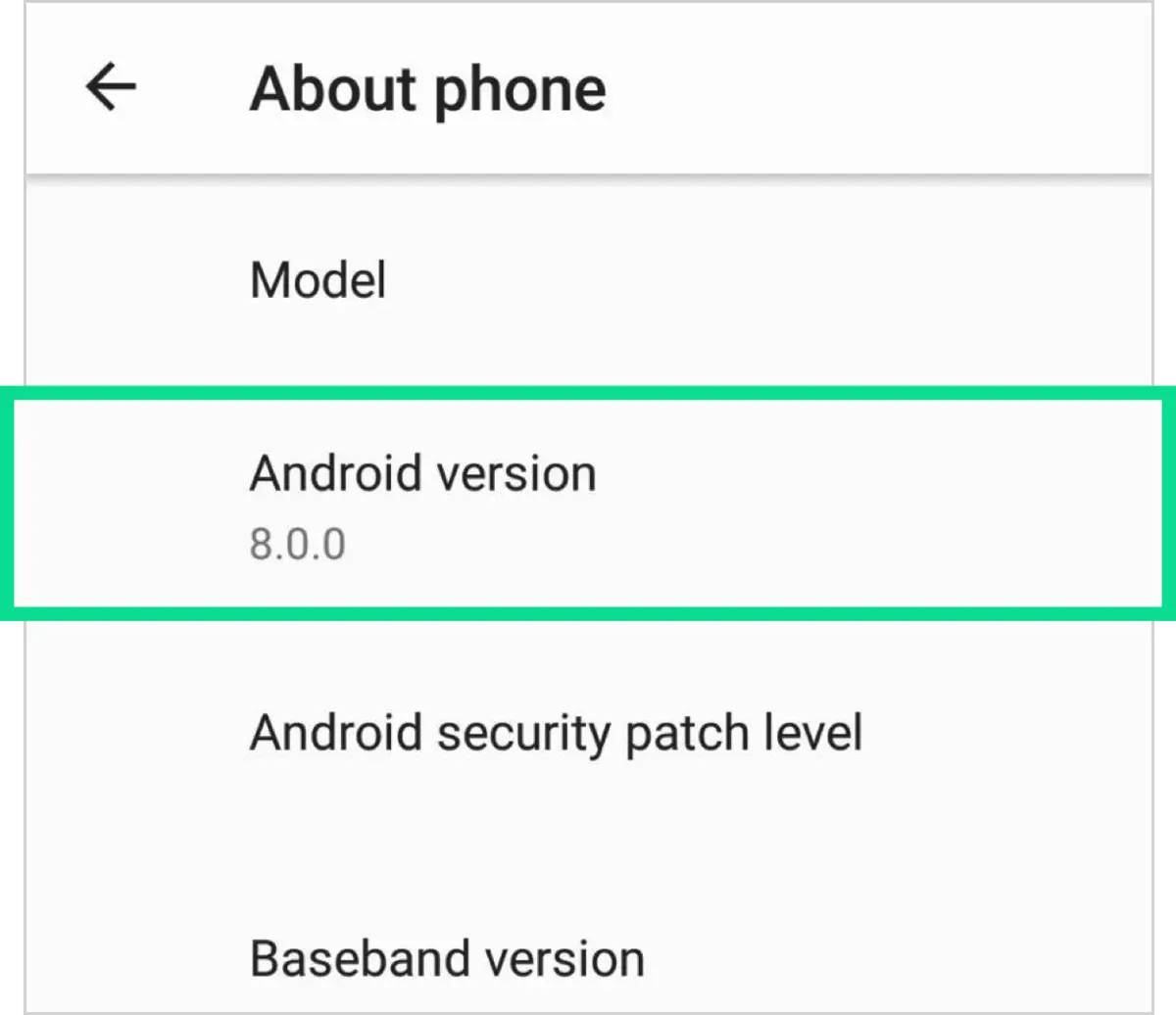
Android Device
The APK is designed for Android phones. It cannot be installed directly on an iPhone, iPad or unsupported computer.
Settings → About Phone → Android Version
Compare the displayed Android version with the minimum requirement shown beside the download button.
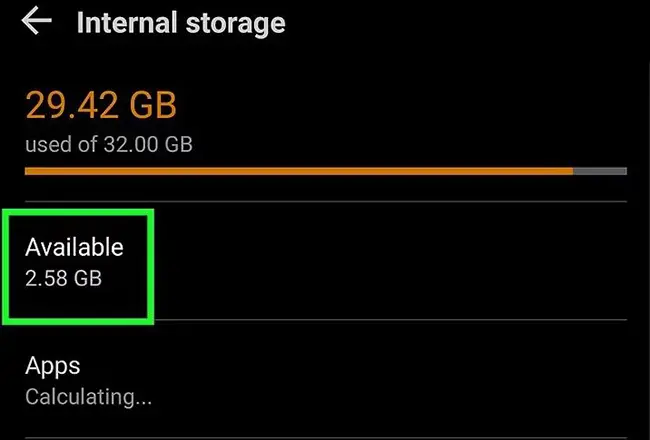
Available Storage
Keep enough free storage for both the downloaded APK and the installed application. The installation may fail when the device has insufficient space.
Settings → Storage
Remove unnecessary files only when you understand what they contain.
Stable Internet Connection
Use a stable Wi-Fi or mobile-data connection. An interrupted download can produce an incomplete APK that cannot be installed.
Updated Mobile Browser
Use an updated Android browser such as Chrome. The browser used to download the APK may need permission to install the file.
Installation Permission
Android may block apps downloaded outside its normal app store. Permission must be granted to the specific browser or file manager opening the APK. The setting may appear as:
- Install unknown apps
- Allow from this source
- Install unknown applications
- External source installation
Menu names can differ on Samsung, Xiaomi, OPPO, vivo, realme and other Android devices.
Updating or reinstalling Mega888?
Keep your existing Mega888 ID and password before replacing or removing the application. Downloading the APK again will not recover forgotten login details.
How to Download and Install Mega888 APK
Download the Mega888 APK
Tap the Download Mega888 APK button. Your Android browser should begin downloading Mega888_V1.2.apk.
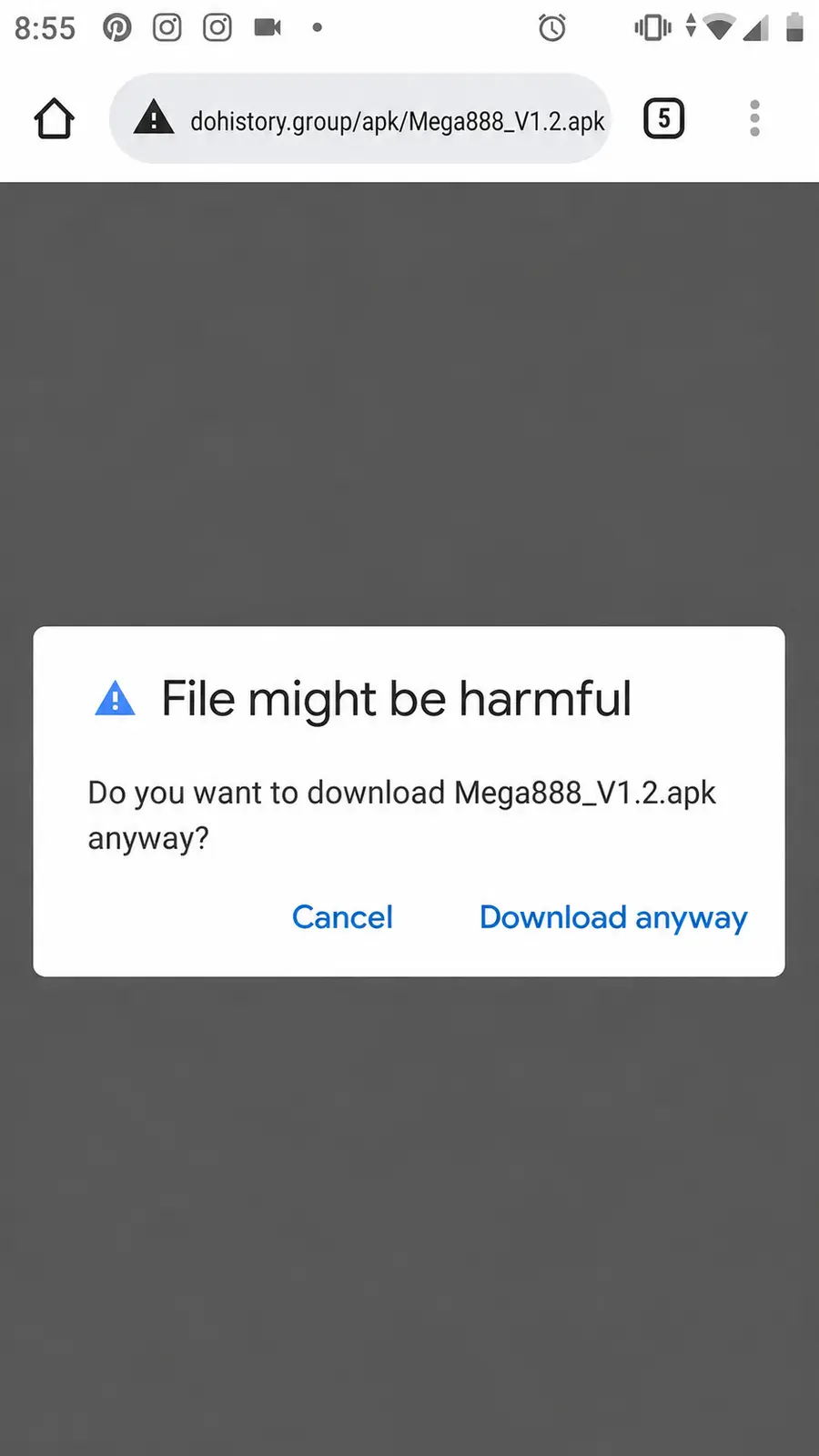
Review the Browser Warning
Your browser may display a warning because APK files can install applications outside the normal app store.
Before continuing, confirm that the download shows:
- Filename:
Mega888_V1.2.apk - File type: APK
- Download address:
dohistory.group/apk/Mega888_V1.2.apk
If the details match, select Download anyway. Stop if the filename, extension or download address is unexpected.
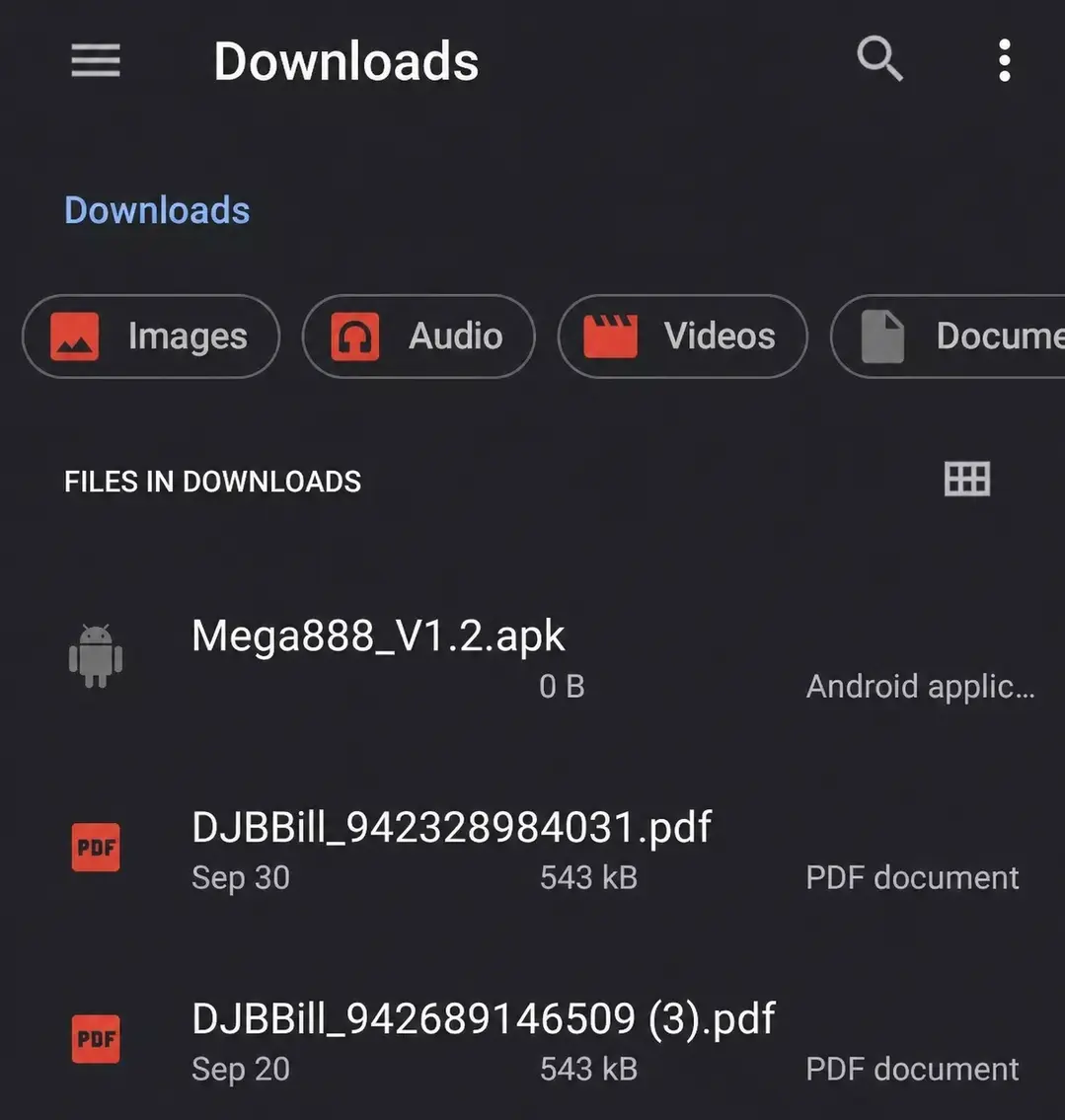
Open the Downloaded APK
When the download finishes, tap the completed-download notification.
If the notification has disappeared, open:
Files → Downloads → Mega888_V1.2.apk
Confirm that the filename matches before opening it.
Allow Installation From the Selected Source
Android may block the browser or file manager from installing unknown applications. Select Settings, choose the source used to open the APK and enable Allow from this source.
The general path is:
Settings → Apps → Special App Access → Install Unknown Apps → Browser → Allow From This Source
Menu names and paths may differ by Android device. Search for Install unknown apps inside Settings if the option is not visible.
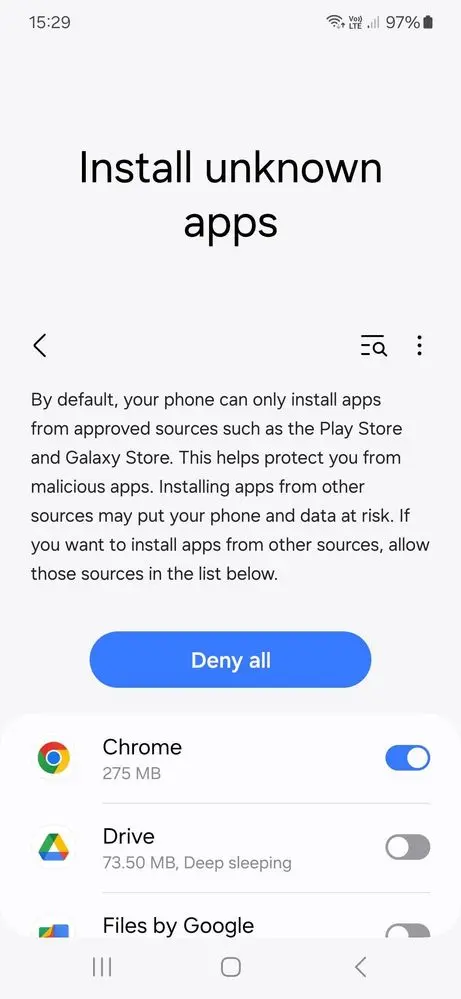
Install the Mega888 APK
Return to the Downloads folder and open Mega888_V1.2.apk again. Review the application name, then tap Install.
Wait until Android confirms that the installation is complete. Do not close the installer or restart your phone during installation.
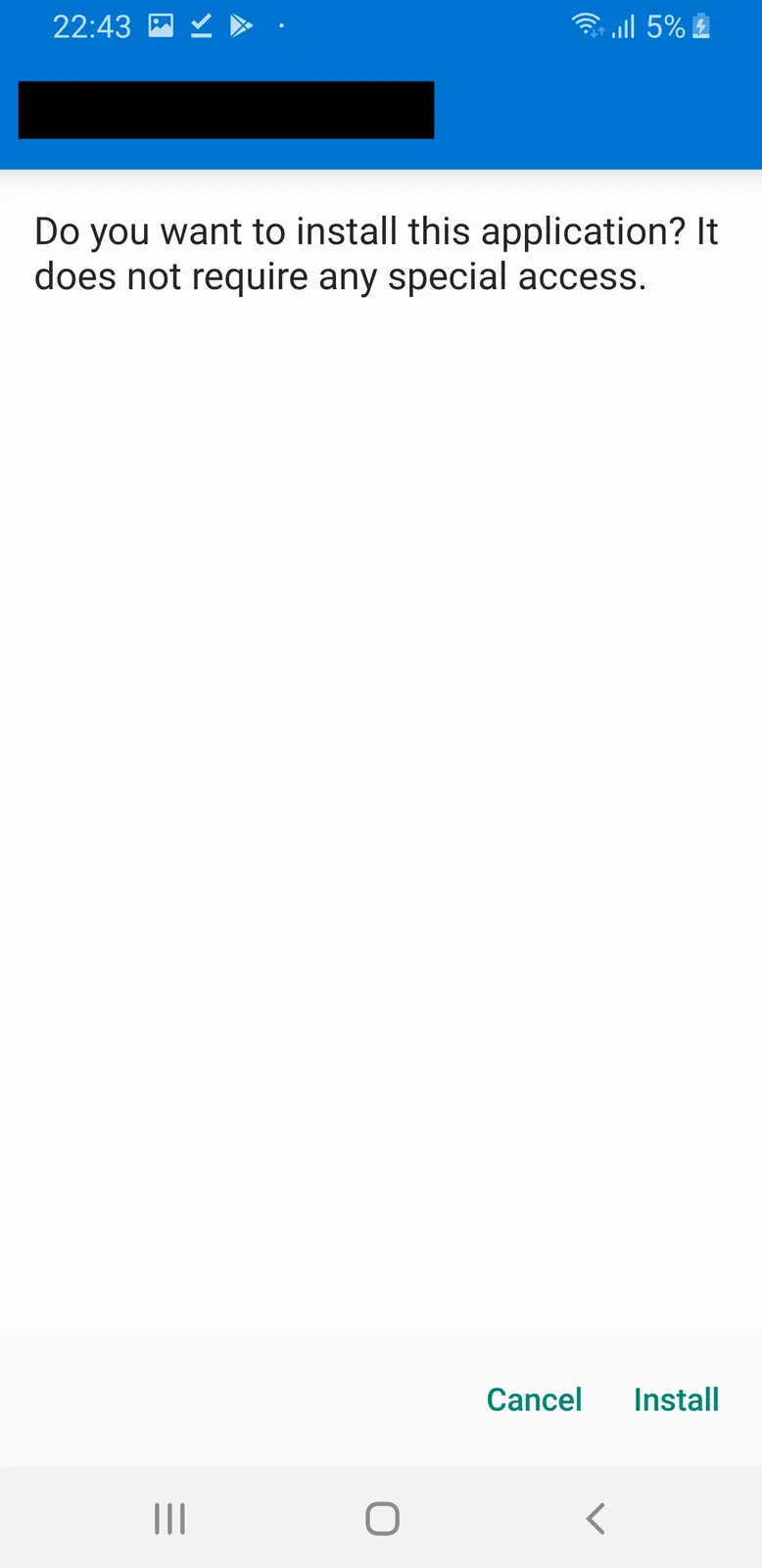
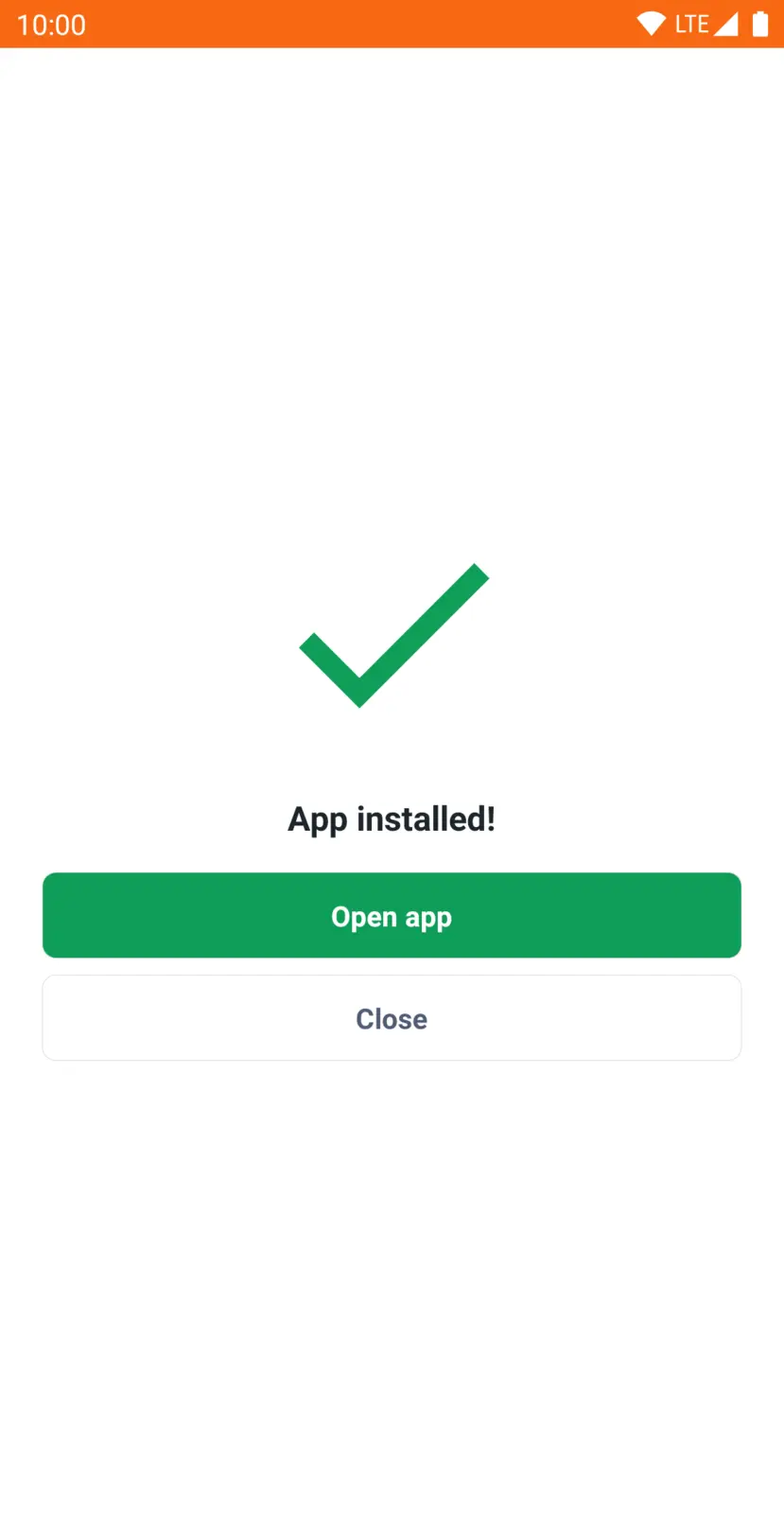
Open Mega888
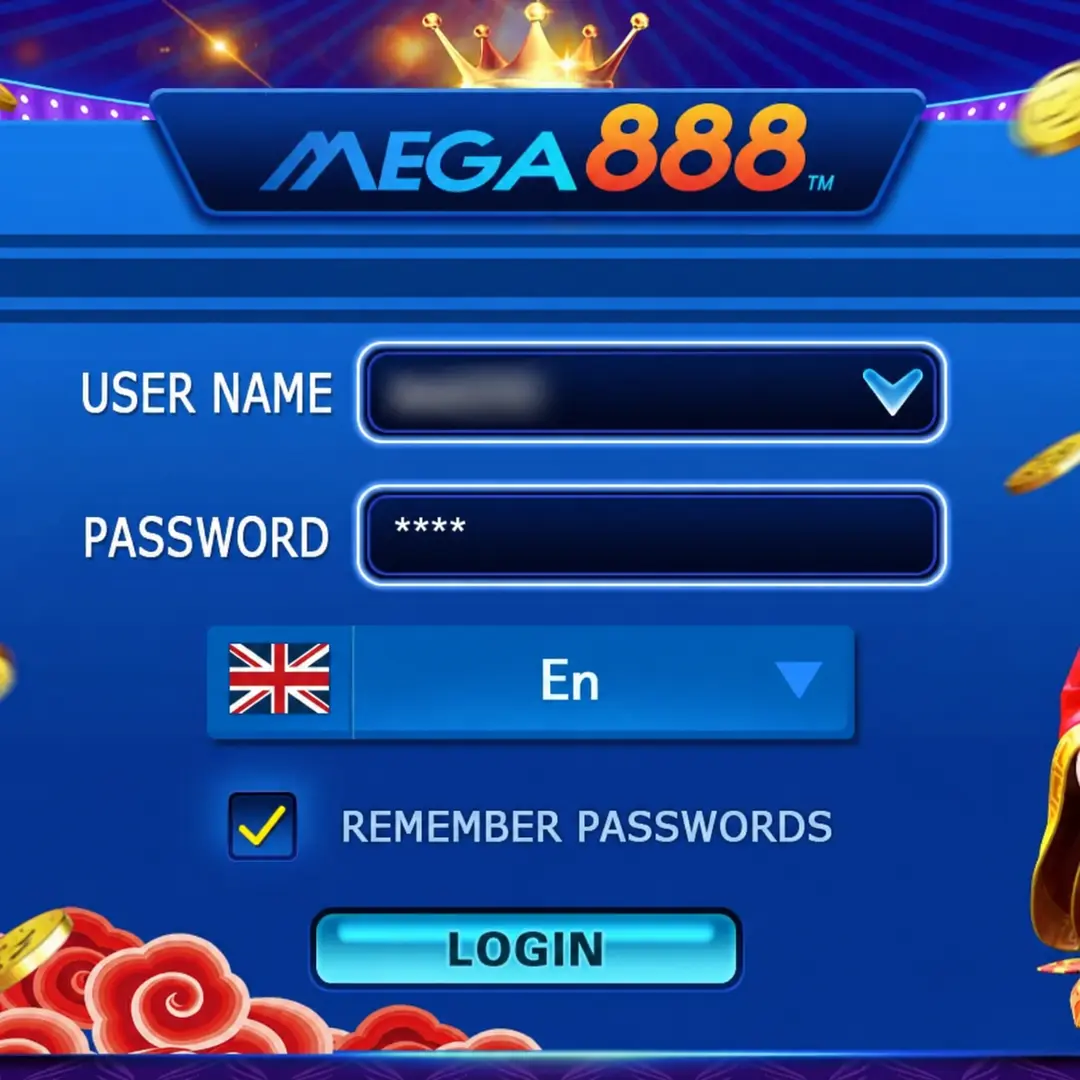
Select Open after installation, or find the Mega888 icon on your home screen or app drawer. The application should open to its starting or login screen.
You may disable Allow from this source afterward if the browser no longer needs permission to install APK files.
Mega888 APK Problems and Troubleshooting
The APK Download Does Not Start
Check your internet connection, reload the page and tap the download button once. Repeated taps may create several incomplete copies.
The Downloaded Filename Looks Different
Do not open an unexpected file. Compare its name, extension, version and size with the information shown beside the download button.
The APK File Cannot Be Opened
The file may be incomplete or opened through an unsupported application. Delete only the incomplete copy, then download the APK again using an updated browser.
"Install Unknown Apps" Is Not Available
Use the search box inside Android Settings and search for Install unknown apps. A work profile, parental control or device administrator may prevent changes to this setting. Do not attempt to bypass restrictions placed on a managed device.
Android Shows "App Not Installed"
Possible causes include:
- Insufficient storage
- Incompatible Android version
- Incomplete APK download
- An existing app with a conflicting installation
- Installation restrictions on the device
Check the storage and Android requirements before downloading a fresh copy.
Android Shows a Package Parsing Error
The APK may be incomplete or incompatible with the installed Android version. Confirm the requirements and download the file again.
Google Play Protect Displays a Warning
Stop and review the warning. Confirm the source and file information before taking further action. Do not disable Play Protect simply to force the installation. If the warning identifies the app as harmful, do not continue until the file has been properly checked.
Mega888 Opens and Immediately Closes
Restart the device and check the available storage. If the problem continues, confirm that the installed APK supports your Android version.
Frequently Asked Questions
Can I delete the APK file after installing Mega888?
Yes. Delete it after confirming Mega888 opens correctly to recover storage space.
Why does my downloaded APK have "(1)" in its filename?
Android adds numbers when the same file has been downloaded more than once.
Can I transfer the Mega888 APK to another Android phone?
Yes, but downloading directly on each phone reduces incomplete file transfers.
Does Mega888 update automatically after installation?
APK updates may require another download instead of updating automatically.
Can I install Mega888 on an Android tablet?
Only when the tablet meets the stated Android and storage requirements.
Can I keep the downloaded APK as a backup?
Yes, but verify its version before using it for reinstallation later.
Can I share the APK through messaging applications?
Direct downloads are safer because transferred files may become incomplete or outdated.